Picasa’s Export as Html Page template system can be used to perform many tasks Picasa normally does not do. It is able to access information about images viewed in Picasa and create text files of any type not just html files. It is an easy task using Notepad to create a custom template to write image captions to a text file.
To create a template to export image captions to a text file you must create a new folder with two simple text files in it. The name of the folder really doesn’t matter. I’d suggest something like “Comment to Text”.
Create a new folder in Picasa’s template folder.
"C:\Program Files (x86)\Google\Picasa3\web\templates" (if it exists otherwise)
"C:\Program Files\Google\Picasa3\web\templates"
Depending on your security settings it may be easier to create the folder on your desktop then move it and its contents to the template folder after your finished creating everything.
With Notepad create a file in the new folder named “index.tpl” with these 3 lines.
#templatefile -v "1.0" -n "Caption to Text File" -d "Export captions to a text file."
define exportFileName captions.txt
loop item.txt
When you save the file, change the “Save as type:” setting to “All Files (*.*)”.
Change the “Encoding” setting to “ANSI” if it is not already.
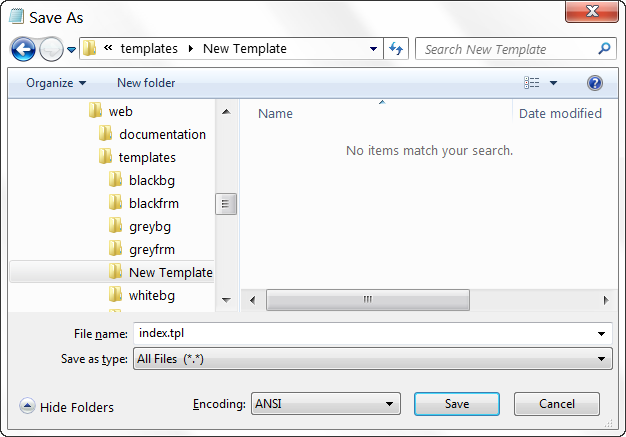
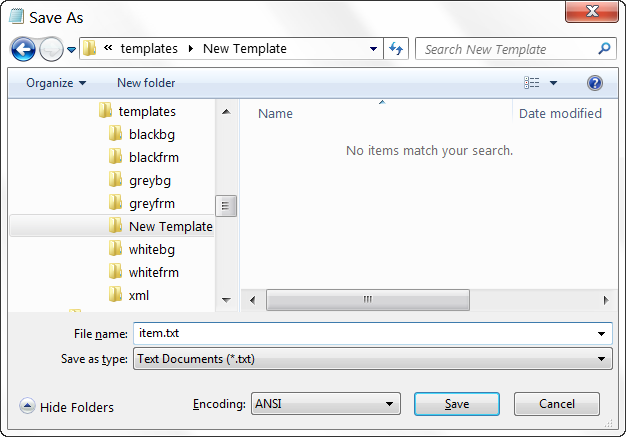
With Notepad create a file in the new folder named “item.txt” with this one line.
<%itemCaption%>
Note: Make sure there is a carriage return (press enter) after this line so each caption is on its own line. Add more blank lines if you need them spaced more.
When you save the file change the “Encoding” setting to “ANSI” if it is not already.
Save this image with the two text files as preview.jpg so Picasa will have a preview to show you but it is not required.
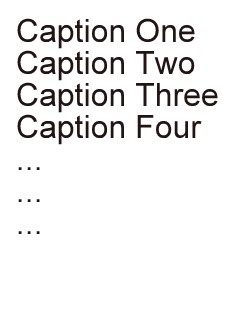
That’s it. After creating the template, select the images you want to export the captions for. On Picasa’s menu select “Folder->Export as HTML Page…” which will open the export dialog. Select the "Caption to Text File" template. After exporting, the text file containing the exported captions should open in the default text file viewer.
If an image does not have a caption, the filename is used followed with a .jpg file extension. Images and thumbnails are always exported so pick a smaller size if you don’t need them and export to a place you can find easily so you can delete them when you are done.
